
Date: October 7, 2026
Estimated reading time: 5 minutes
Category: App Guide · Preventative Health
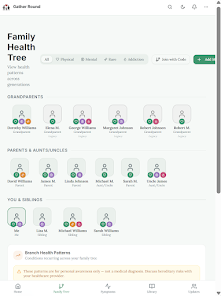
A family circle can make proactive healthcare feel more connected. It can help loved ones share helpful updates, notice patterns, and support one another throughout a wellness journey.
It should also feel safe and manageable.
Gather Round PHA lets you create a private family group where each person decides what they want to share and who can see it. You can use Family Updates for simple check-ins, the Caregiver Portal for more structured support, and other tools to organize your path to wellness.
If you have not downloaded the app yet, get Gather Round PHA on Google Play.
Before you begin: decide what support should look like
You do not need to add everyone at once. Start by thinking about why you want a family circle.
You may want to:
- Keep relatives informed about general wellness progress.
- Help a trusted caregiver follow reminders or important updates.
- Organize family health information in one place.
- Notice patterns across symptoms, sleep, stress, or daily habits.
- Make it easier to prepare for conversations with a healthcare provider.
Your reason for creating a family circle will help you choose the right people and permissions.
Important: A family relationship does not automatically mean someone should have access to your health information. Each person controls what they share. Access should be based on clear permission, personal comfort, and the type of support being requested.
Step 1: Download Gather Round PHA and create your profile
Download Gather Round PHA from Google Play, then follow the in-app steps to create your account.
Begin with only the information you are comfortable entering. You can build your profile over time. A preventative-health tool should support your routine, not create another task list that feels impossible to maintain.
As you get started:
- Review your profile and privacy settings.
- Use a strong, unique password.
- Keep your account information current.
- Take a few minutes to understand the sharing options before inviting anyone.
- Ask questions if a setting or permission is unclear.
You can also learn more about the platform on Gather Round’s The App page and Explore Product page.
Step 2: Choose the people in your family circle
Invite people who will provide useful, respectful support. This might include:
- A spouse or partner.
- A parent, adult child, or sibling.
- A trusted friend who helps with caregiving.
- A person who supports your wellness goals.
- A caregiver who needs limited access to help coordinate care.
The best family circle is not necessarily the largest one. It is the one that helps you feel informed and supported without reducing your privacy or independence.
When you invite someone, explain:
- Why you are inviting them.
- What information you may share.
- What you are not sharing.
- Whether their access is temporary or ongoing.
- How they can ask questions or decline.
The invited person should have an opportunity to understand and accept the request before receiving access. For children, adults who cannot manage their own accounts, or formal caregiving arrangements, use the appropriate legal or authorized process.
Step 3: Choose what each person can see
Gather Round is designed to support more intentional sharing. You can choose different levels of access for different people instead of giving everyone the same view.
For example:
- Family Updates: Share a high-level wellness check-in, such as how your week is going or whether you reached a personal goal.
- Caregiver Portal: Provide a trusted caregiver with access to the information needed for their support role.
- Health history or reports: Share only when the information is relevant and you are comfortable providing it.
- Private notes and personal records: Keep these limited to yourself unless you choose to share them.
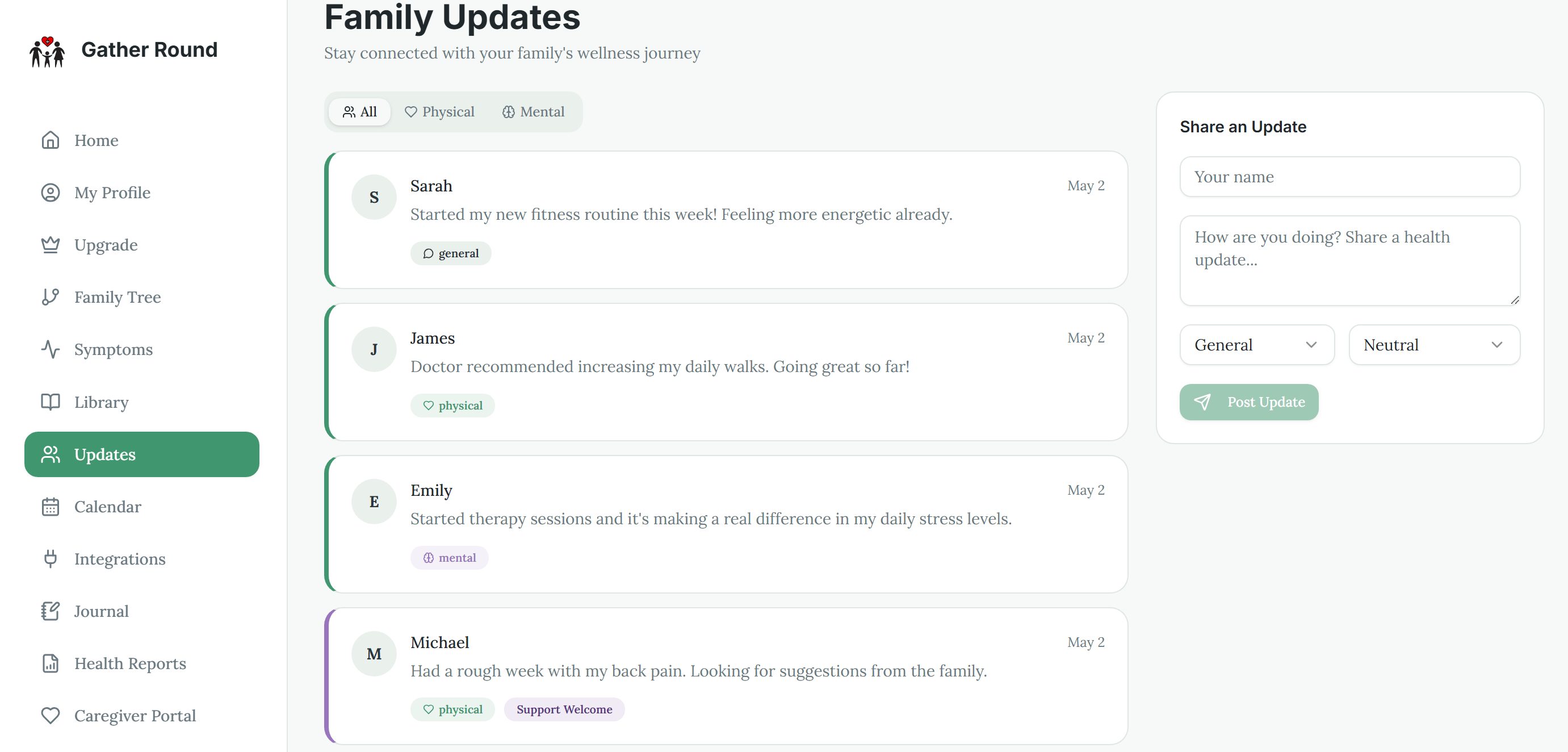
Before confirming access, review each permission carefully. Ask yourself:
- Does this person need to see this category of information?
- Is read-only access enough?
- Should this permission expire or be reviewed later?
- Would I be comfortable if this person saw this information today?
- Can I remove or change access easily?
You remain in control of your own sharing choices. A person in your family circle should not assume they can view all of your health information simply because they were invited.
Step 4: Use Family Updates for simple communication
Family Updates can help you stay connected without requiring a detailed health report every time.
A useful update might be:
- “I had a good week with my sleep routine.”
- “I am preparing for a healthcare appointment.”
- “I have been feeling more tired than usual and am tracking it.”
- “I reached my movement goal today.”
- “I could use help remembering my next appointment.”
Keep updates as detailed as you want them to be. You do not need to include a diagnosis, medication information, or private symptoms unless you specifically choose to do so.
Family members can also use updates to offer practical support. A supportive response might be, “Would you like help preparing questions for your appointment?” rather than making assumptions or giving medical advice.
Step 5: Set up the Caregiver Portal thoughtfully
The Caregiver Portal is intended for people who have a more active support role. This could include helping with reminders, following agreed-upon wellness information, or staying informed about a loved one’s needs.
Use the portal with clear boundaries:
- Grant access only to a trusted person.
- Choose the information that is relevant to their role.
- Prefer limited or read-only access when editing is not necessary.
- Review permissions regularly.
- Remove access when the caregiving relationship changes.
- Talk with the caregiver about how information should be used.
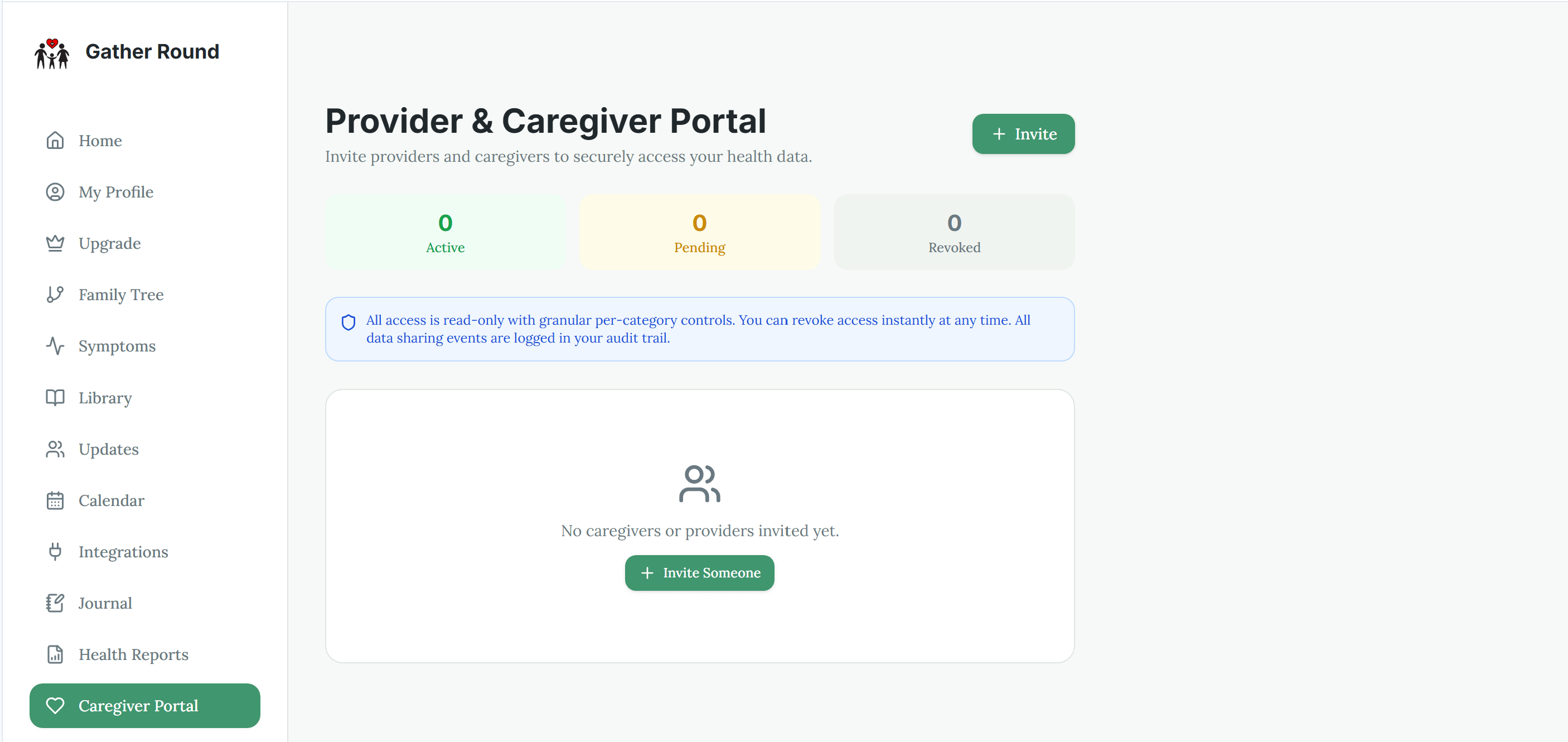
A caregiver should support your decisions, not replace them. Gather Round can help organize information, but it does not give a caregiver authority to make medical decisions unless that authority exists separately through an appropriate legal or healthcare arrangement.
Step 6: Make the first week manageable
You do not need to fill every feature on the first day. A small routine is easier to maintain and more useful than an ambitious plan that quickly becomes overwhelming.
Try this simple first-week approach:
Day 1: Set up your account.
Review your profile, privacy settings, and sharing options.
Day 2: Invite one trusted person.
Explain what you want the family circle to help with.
Day 3: Share one simple Family Update.
Keep it short. A sentence is enough.
Day 4: Review permissions.
Confirm that the right person can see only the information you intended to share.
Day 5: Add one wellness activity.
You might record a symptom, note your energy level, or track a personal goal.
Day 6: Talk with your circle.
Ask what kind of updates are helpful and what feels unnecessary.
Day 7: Adjust your routine.
Keep the features that support you. Set aside the ones that do not fit your current needs.
The goal is not to monitor every part of your life. The goal is to build a clear, sustainable habit that supports preventative health.
Keep your information organized over time
If your family tracks appointments, symptoms, reminders, or updates, the Family Wellness Calendar can help organize those activities in one view.
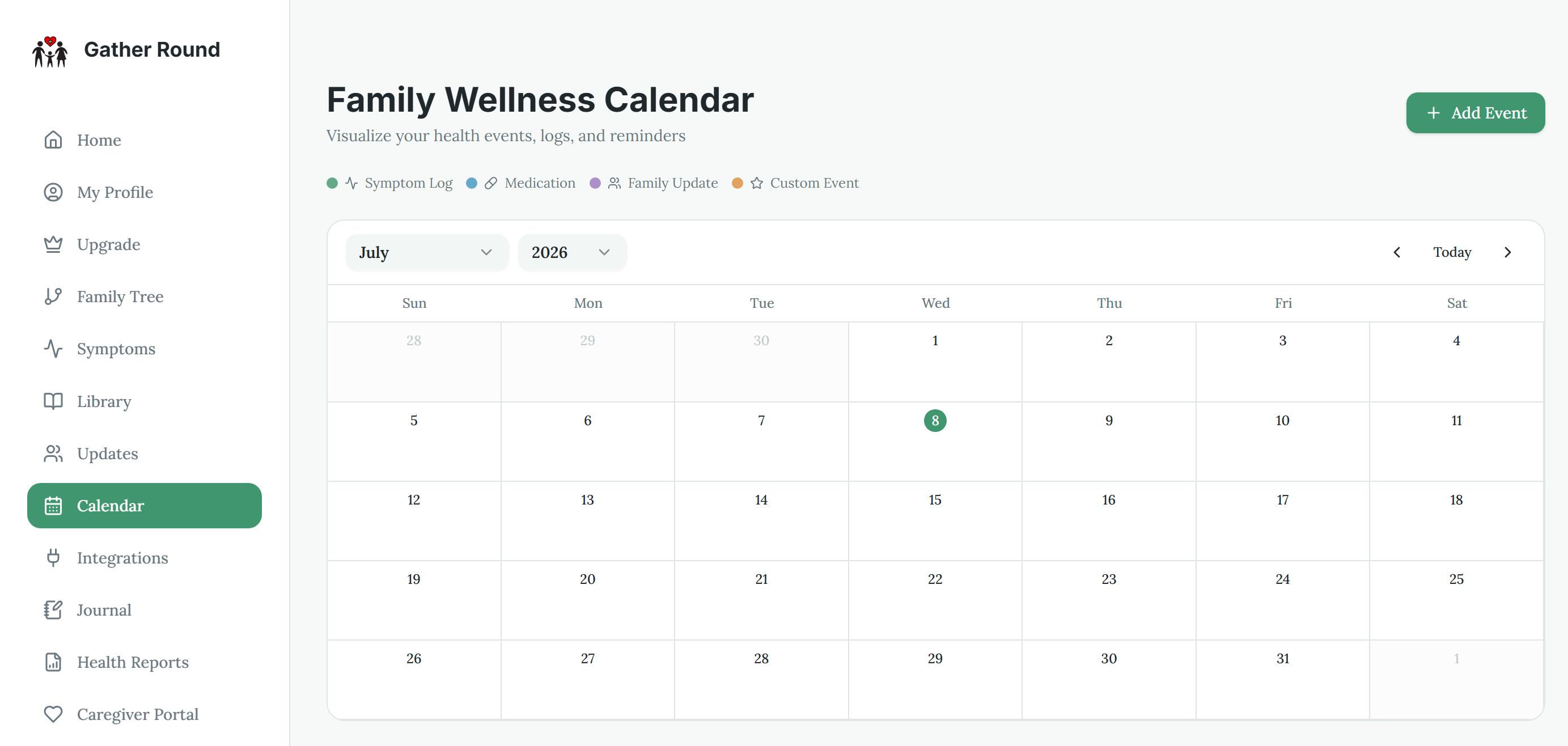
Review your family circle when circumstances change. Consider updating access after:
- A caregiving arrangement ends.
- A relationship changes.
- A child reaches an age where they should manage their own account.
- A person no longer needs access.
- You want to share less or share different information.
Permission should be an ongoing choice, not a one-time decision.
How Gather Round protects your health data
Gather Round’s data architecture separates the app experience from the website’s content system.
- Health data is stored in a HIPAA-compliant Back4App backend.
- The Gather Round app is a display layer that presents information and features to users.
- The WordPress CMS holds no user health data. It is used for website and educational content, not for storing personal health records.
- Access and sharing should still be managed carefully by each user through the available account controls.
For more information about Gather Round’s privacy practices, review the Privacy Policy.
No technology removes the need for good judgment. Use strong account security, share only what is necessary, and contact Gather Round support if you have questions about account access or privacy.
When to seek medical care
Gather Round is a wellness and health-education tool. It is not an emergency service and does not replace a licensed healthcare professional.
Seek urgent help for severe symptoms, trouble breathing, chest pain, signs of stroke, serious injury, or any situation that feels life-threatening. In the United States, call 911 for an emergency.
For non-urgent concerns, use your notes and updates to prepare specific questions for your healthcare provider, such as:
- “I have noticed this symptom several times. What should I track?”
- “Could any of these patterns be related to my medications, sleep, or stress?”
- “What preventive screenings are appropriate for me?”
- “What changes should prompt me to contact your office?”
A family circle should support, not overwhelm, you
A thoughtful family circle can make proactive healthcare more practical. Start with one trusted person, choose limited permissions, and build your routine gradually.
Your wellness journey belongs to you. Gather Round PHA is designed to help you understand your health, communicate clearly, and move along your path to wellness with greater confidence and support.
Download Gather Round PHA on Google Play.